Nova
Native Mac code editor from Panic with built-in Git, terminals, debugging and remote server tools.
About Nova
Nova is a proprietary code editor for macOS made by Panic, which describes it as 100% Mac-native. Version 1 was released on September 16, 2020, and version 14.1 was released on August 6, 2026. It combines the editor with a Git sidebar, local and remote terminals, debugging and remote file management, and it is extended through a JavaScript extension API. The current version requires macOS 15.6 or later.
What it offers
- The Git sidebar stages, commits, fetches, pulls and pushes, manages and merges branches and shows commit history. Nova can sign in to GitHub and GitLab accounts and clone repositories.
- Debugging uses the Debug Adapter Protocol. Built-in debug tasks cover Chrome, Deno, Node.js, PHP and Python, and extensions can add tasks for other languages and tools.
- Remote servers can use SSH/SFTP, FTP, WebDAV, Amazon S3 and several other storage services. Files are browsed and opened from the Remote sidebar, local changes are uploaded with Publish, and remote terminals connect over SSH.
- Nova detects language servers already installed on the Mac, can install managed copies of the servers it knows and can be pointed manually at other servers. Extensions are installed from the Nova extension library.
- The built-in Vim mode has normal, visual and insert modes, text objects and registers. Command mode, marks, .vimrc files and Vim plugins are not supported.
What is built in
Listed only where we have checked it
- Debugger Built in
- Git integration Built in
- Integrated terminal Built in
- AI assistant Extension
- Remote development Built in
- Live collaboration Not listed
- Vim mode Built in
Languages
How Nova supports each common language, and what you get with the recommended setup.
15 Built in 1 Official extension 10 Community extension
- JavaScript Built in
With TypeScript Language Server or vtsls
- Completion : Yes
- Go to definition : Yes
- Refactoring : Yes
- Debugging : Yes
- Tests : No
- Formatting : Yes
JavaScript and JSX syntax are built in, and Node.js and Chrome debugging are built-in debug tasks. Nova 14 can detect or install typescript-language-server or vtsls from Settings, Languages.
Source ↗ - TypeScript Built in
With TypeScript Language Server or vtsls
- Completion : Yes
- Go to definition : Yes
- Refactoring : Yes
- Debugging : No
- Tests : No
- Formatting : Yes
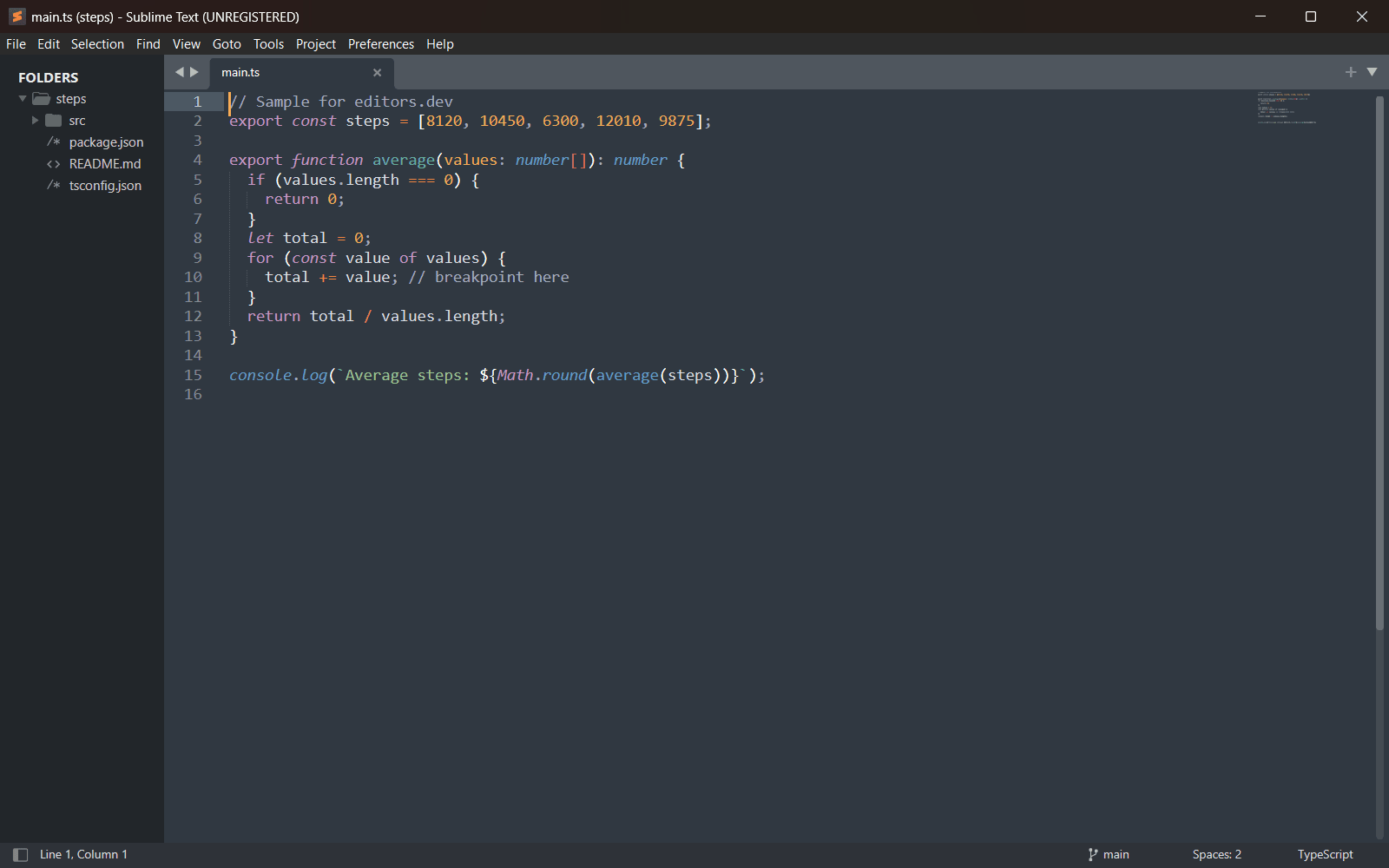
TypeScript and TSX syntax are built in. Nova 14 detects or installs typescript-language-server or vtsls for completion, go to definition, references, code actions and formatting.
Source ↗ - Python Built in
With Pyright, basedpyright, Ruff or ty
- Completion : Yes
- Go to definition : Yes
- Refactoring : Yes
- Debugging : Yes
- Tests : No
- Formatting : Yes
Python syntax and a Python debug task are built in; debugging uses debugpy, which you install with pip. Nova 14 can detect or install Pyright, basedpyright, Ruff or ty, and formatting comes from Ruff.
Source ↗ - C# Built in
With csharp-ls
- Completion : Yes
- Go to definition : Yes
- Refactoring : Yes
- Debugging : Yes
- Tests : No
- Formatting : No
Nova 14 added built-in C# syntax and debugging. Nova can install and manage csharp-ls, which needs the .NET SDK.
Source ↗ - C++ Built in
With clangd
- Completion : Yes
- Go to definition : Yes
- Refactoring : Yes
- Debugging : Yes
- Tests : No
- Formatting : Yes
Nova 14 added built-in C and C++ syntax and debugging, plus integration with clangd. Nova can use an installed clangd or install one for you.
Source ↗ - C Built in
With clangd
- Completion : Yes
- Go to definition : Yes
- Refactoring : Yes
- Debugging : Yes
- Tests : No
- Formatting : Yes
Nova 14 added built-in C syntax and LLDB debugging, plus integration with clangd. Nova can use an installed clangd or install one for you.
Source ↗ - Rust Built in
With rust-analyzer
- Completion : Yes
- Go to definition : Yes
- Refactoring : Yes
- Debugging : Yes
- Tests : No
- Formatting : Yes
Nova 14 added built-in Rust syntax and debugging, plus integration with rust-analyzer. Nova can use an installed rust-analyzer or install one for you.
Source ↗ - PHP Built in
With Intelephense or Phpactor
- Completion : Yes
- Go to definition : Yes
- Refactoring : Yes
- Debugging : Yes
- Tests : No
- Formatting : Yes
PHP syntax and Xdebug debugging, including a local PHP server task, are built in. Nova 14 can install Intelephense or Phpactor; Intelephense needs a paid license for rename and code actions.
Source ↗ - Ruby Built in
With Ruby LSP, Solargraph or RuboCop
- Completion : Yes
- Go to definition : Yes
- Refactoring : Yes
- Debugging : No
- Tests : No
- Formatting : Yes
Ruby syntax is built in, and Nova 14 can detect or install Ruby LSP, Solargraph or RuboCop's server. There is no built-in Ruby debug task.
Source ↗ - Swift Built in
With SourceKit-LSP
- Completion : Yes
- Go to definition : Yes
- Refactoring : Yes
- Debugging : Yes
- Tests : No
- Formatting : Yes
Nova 14 added built-in Swift syntax and LLDB debugging, plus integration with SourceKit-LSP. The server comes from Xcode or a Swift toolchain, which you install yourself.
Source ↗ - HTML Built in
With HTML Language Server or SuperHTML
- Completion : Yes
- Go to definition : No
- Refactoring : No
- Debugging : No
- Tests : No
- Formatting : Yes
HTML syntax and completions are built in. Nova 14 can detect or install the HTML Language Server or SuperHTML from Settings, Languages.
Source ↗ - CSS Built in
With CSS Language Server
- Completion : Yes
- Go to definition : No
- Refactoring : No
- Debugging : No
- Tests : No
- Formatting : Yes
CSS, SCSS and Less syntax and completions are built in. Nova 14 can detect or install the CSS Language Server for diagnostics, hover and formatting.
Source ↗ - SQL Built in
- Completion : Yes
- Go to definition : No
- Refactoring : No
- Debugging : No
- Tests : No
- Formatting : No
SQL syntax with keyword completion is built in, using a Tree-sitter grammar. There is no database tool; a third-party SQL extension adds dialect-aware highlighting and a small language server.
Source ↗ - Shell Built in
- Completion : Yes
- Go to definition : No
- Refactoring : No
- Debugging : No
- Tests : No
- Formatting : No
Bash syntax and basic completions are built in. Nova's registry has no shell language server, so there is no linting or rename.
Source ↗ - Lua Built in
With Lua Language Server
- Completion : Yes
- Go to definition : Yes
- Refactoring : Yes
- Debugging : No
- Tests : No
- Formatting : Yes
Lua syntax is built in, and Nova 14 can detect or install lua-language-server from Settings, Languages.
Source ↗ - Objective-C Official extension
With Icarus extension (SourceKit-LSP, LLDB)
- Completion : Yes
- Go to definition : Yes
- Refactoring : No
- Debugging : Yes
- Tests : No
- Formatting : No
Nova 14's built-in C-family support names C and C++ but not Objective-C. Panic's own Icarus extension adds Objective-C and Objective-C++ syntax, SourceKit-LSP intelligence and LLDB debugging.
Source ↗ - Java Community extension
With Java extension (Eclipse JDT LS)
- Completion : Yes
- Go to definition : Yes
- Refactoring : Yes
- Debugging : No
- Tests : No
- Formatting : Yes
Java is not among Nova's built-in languages and has no server in Nova's registry. The third-party Java extension by ParkCedar uses Eclipse JDT LS for completion, navigation, rename, code actions and formatting.
Source ↗ - Go Community extension
With Go-Bee extension (gopls, Delve)
- Completion : Yes
- Go to definition : Yes
- Refactoring : Yes
- Debugging : Yes
- Tests : No
- Formatting : Yes
Go is not built into Nova and has no server in Nova's registry. The third-party Go-Bee extension uses gopls and Delve; its debugger is marked experimental and the extension has not been updated in a while.
Source ↗ - Kotlin Community extension
With Kotlin Syntax extension
- Completion : No
- Go to definition : No
- Refactoring : No
- Debugging : No
- Tests : No
- Formatting : No
Kotlin is not built into Nova and has no server in Nova's registry. A small third-party extension adds highlighting for .kt and .kts files only.
Source ↗ - Dart Community extension
With Dart extension (Dart analysis server)
- Completion : Yes
- Go to definition : No
- Refactoring : No
- Debugging : No
- Tests : No
- Formatting : Yes
Dart is not built into Nova. A third-party extension uses the Dart SDK's analysis server for completion and formatting, but it is marked beta and you must enter the server's path by hand.
Source ↗ - R Community extension
With R-Nova extension
- Completion : Yes
- Go to definition : Yes
- Refactoring : No
- Debugging : No
- Tests : Yes
- Formatting : No
R is not built into Nova. The third-party R-Nova extension adds R and R Markdown syntax, completion, a test task for testthat and tinytest, and linting through the languageserver R package.
Source ↗ - Scala Community extension
With Scala extension (Metals)
- Completion : Yes
- Go to definition : Yes
- Refactoring : No
- Debugging : No
- Tests : No
- Formatting : No
Scala is not built into Nova. A third-party extension installs and runs Metals through Coursier for completion, go to definition and hover; it has few users.
Source ↗ - Elixir Community extension
With ElixirLS extension
- Completion : Yes
- Go to definition : Yes
- Refactoring : No
- Debugging : No
- Tests : No
- Formatting : Yes
Elixir is not built into Nova. The third-party ElixirLS extension adds syntax and bundles ElixirLS, with experimental support for the newer Expert server.
Source ↗ - Haskell Community extension
With Haskell extension
- Completion : Yes
- Go to definition : No
- Refactoring : No
- Debugging : No
- Tests : No
- Formatting : No
Haskell is not built into Nova. The most installed third-party extension adds highlighting and static completion of Prelude names; Haskell Language Server needs a separate extension pair.
Source ↗ - Zig Community extension
With zig extension (zls)
- Completion : Yes
- Go to definition : Yes
- Refactoring : No
- Debugging : No
- Tests : No
- Formatting : Yes
Zig is not built into Nova. A third-party extension adds Tree-sitter syntax, zig build tasks, zig fmt formatting and zls, which you install yourself.
Source ↗ - Julia Community extension
With Julia extension (LanguageServer.jl)
- Completion : Yes
- Go to definition : No
- Refactoring : No
- Debugging : No
- Tests : No
- Formatting : No
Julia is not built into Nova. A third-party extension with very few installs adds syntax and basic LanguageServer.jl support, which you install from the Julia REPL.
Source ↗
Who it is for
Who it suits
- Mac developers who want Git, terminals and a debugger in the editor without installing extensions.
- Developers who work with files on remote servers over SFTP, FTP, WebDAV or Amazon S3 and want SSH terminals in the same window.
- Developers who prefer a one-off purchase. The $99 USD license keeps working after the update year ends, and renewal is optional.
Who should look elsewhere
- Developers on Windows or Linux. Nova runs only on macOS and the current version requires macOS 15.6 or later.
- Developers who need an open-source editor or a free one. Nova is proprietary and only the 30-day trial is free.
- Vim users who depend on command mode, marks, a .vimrc file or Vim plugins, which the built-in Vim mode does not support.
Nova pricing
Nova costs $99 USD plus tax as a one-off purchase that includes one year of updates and new features, and the purchased version can be kept and used indefinitely. Continuing to receive updates is optional at $49 USD per year plus tax; it can be cancelled or resumed at any time, and the renewal price stays the same no matter how long ago the license expired. Owners of Coda 1 or 2 pay $79 plus tax, students and school faculty get 25% off, and discounts do not stack. One license covers several Macs as long as a single person uses them, and team licensing is not offered. The trial is free and fully featured for 30 days.
Price Paid Proprietary
Nova next to its alternatives
The same facts for each editor, taken from the directory.
| Editor | Type | Price | Built with | Platforms | Languages built in | Remote development | Live collaboration | Vim mode |
|---|---|---|---|---|---|---|---|---|
| Nova | Editor | Paid | Native macOS app (language not stated by the maker) | macOS | 15 / 26 | Built in | –Not listed | Built in |
| BBEdit | Editor | Free tier, paid plans | Not stated by the maker | macOS | 19 / 26 | Built in | –Not listed | Built in |
| TextMate | Editor | Free Open source | C++ and Objective-C++ | macOS | 11 / 26 | Extension | –Not listed | –Not listed |
| Sublime Text | Editor | Paid | C++ (plugin API in Python) | Windows · macOS · Linux | 2 / 26 | –Not listed | –Not listed | Built in |
| VS Code | Editor | Free Open source | TypeScript, Electron | Windows · macOS · Linux | 5 / 26 | Extension | Extension | Extension |
| Zed | Editor | Free tier, paid plans Open source | Rust, GPUI | macOS · Linux · Windows | 10 / 26 | Built in | Built in | Built in |


Built in Extension Not supported
Sources
Last checked: 16 November 2026