Sublime Text
Proprietary text editor for code, markup and prose, extended with Python packages.
Screenshots
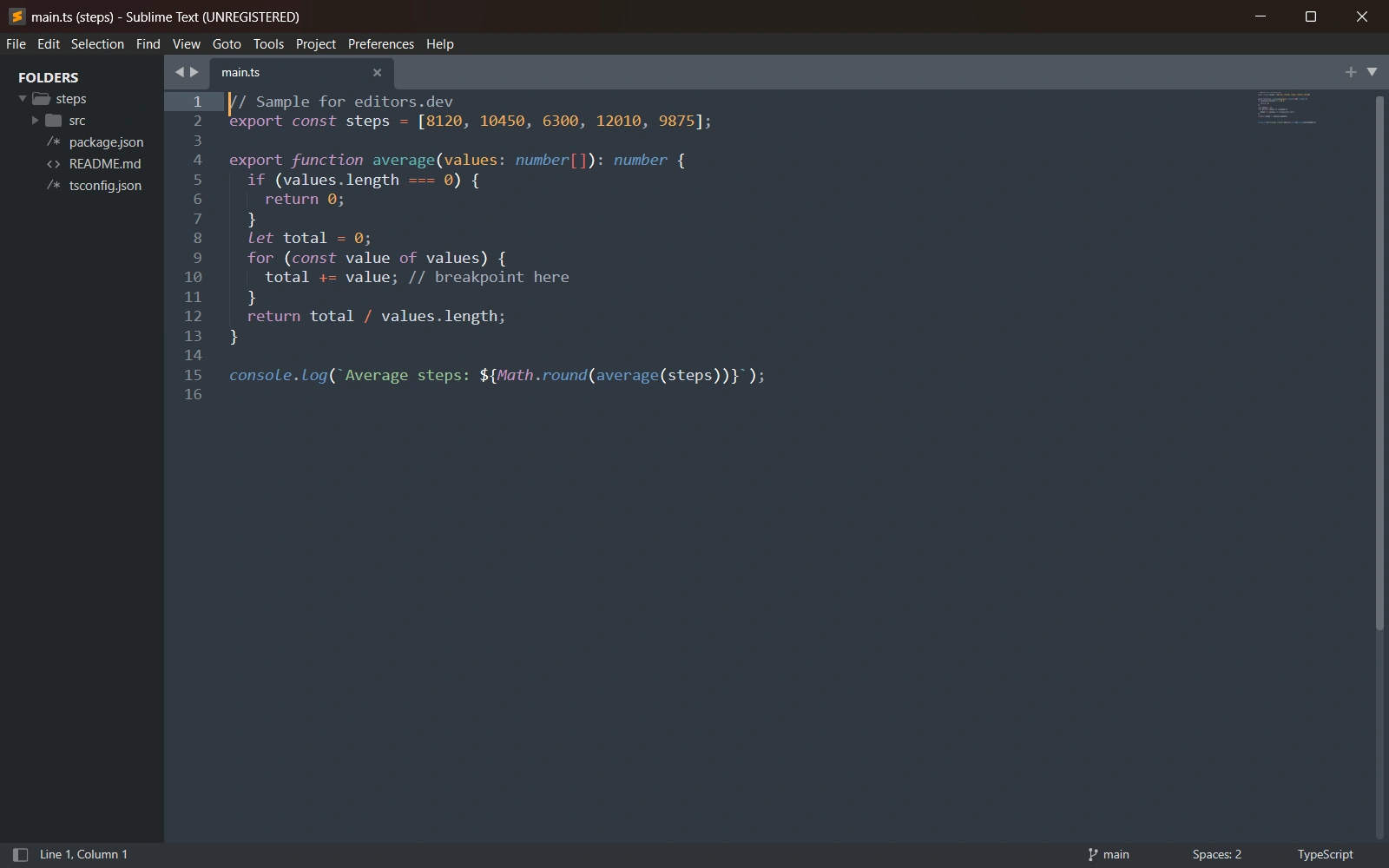
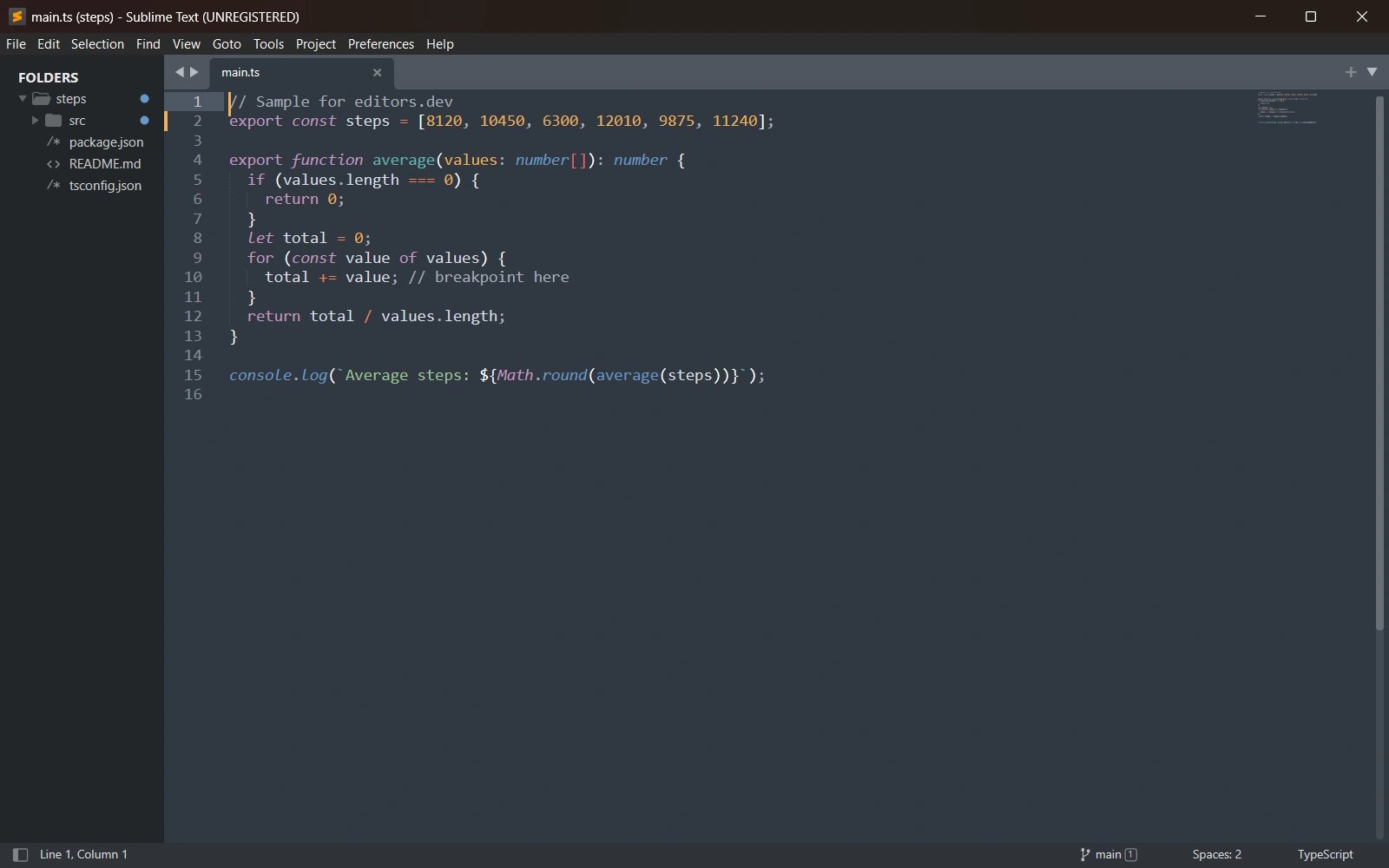
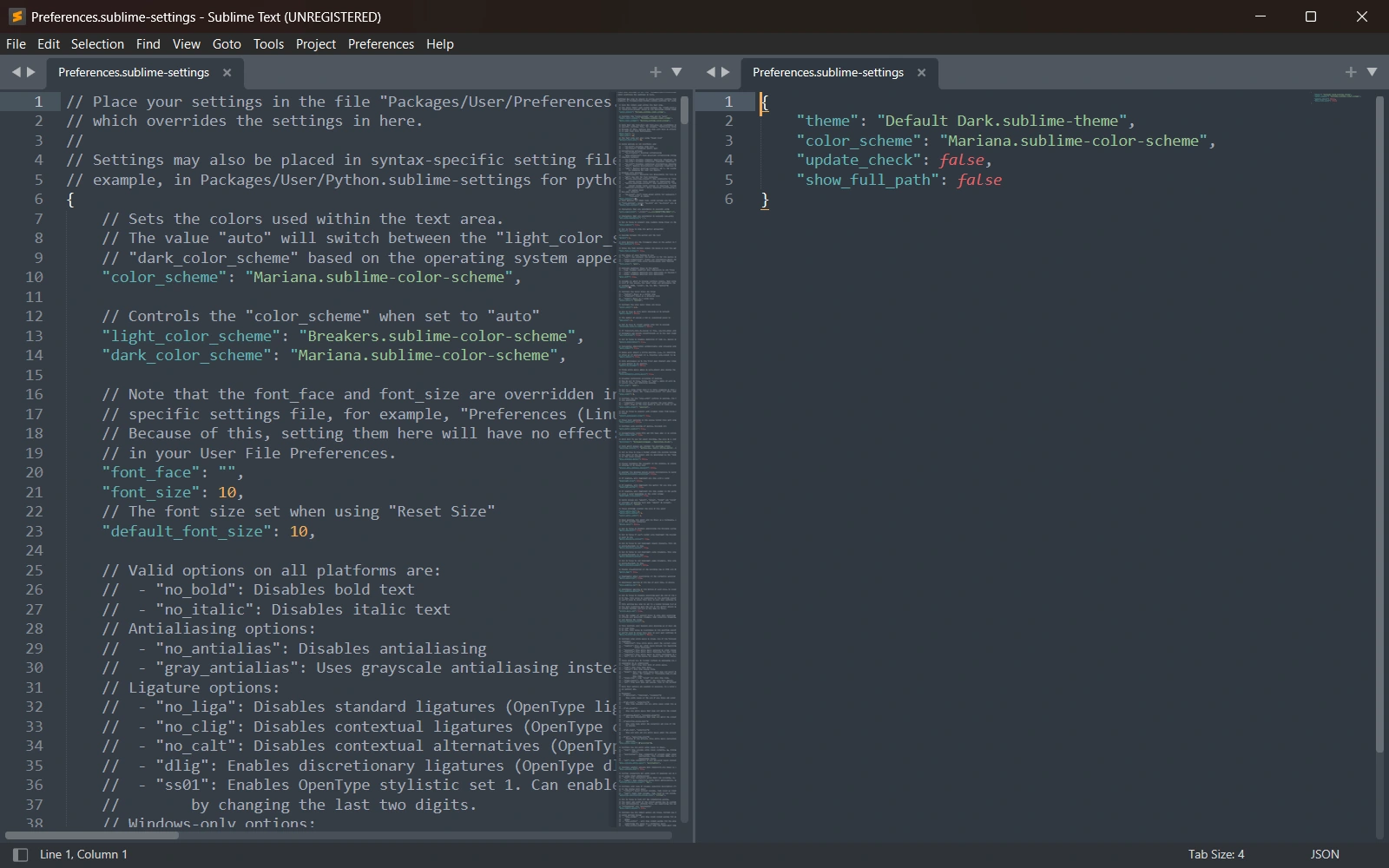
Screenshots of Sublime Text Build 4215, taken on 20 November 2026 with the same sample project as every editor on this site. Method
About Sublime Text
Sublime Text is a proprietary text editor from Sublime HQ Pty Ltd, based in Sydney. Version 1.0 was released in January 2008 and Sublime Text 4 is the current version. It runs on Windows, macOS and Linux, and its plugins are Python files distributed as packages. It can be downloaded and evaluated for free, but a license must be purchased for continued use.
What it offers
- Sublime Text 4 can render its interface on the GPU on Windows, macOS and Linux, and ships native Apple Silicon and Linux ARM64 builds.
- Editing features include multiple selections, Goto Anything, Tab Multi-Select for split views and context-aware auto complete. TypeScript, JSX and TSX syntax ships by default.
- The built-in Git integration shows status badges in the side bar, the current branch in the status bar and diff markers in the gutter. Repository, history and blame commands open Sublime Merge, a separate Git client from the same company.
- Vintage, a vi mode editing package, ships with the editor and is disabled by default.
- Plugins are Python files that run in a separate plugin_host process. Packages are installed through Package Control, the official package manager; build 4213 moved the plugin runtime to Python 3.14.
What is built in
Listed only where we have checked it
- Debugger Extension
- Git integration Built in
- Integrated terminal Extension
- AI assistant Extension
- Remote development Not listed
- Live collaboration Not listed
- Vim mode Built in
Languages
How Sublime Text supports each common language, and what you get with the recommended setup.
2 Built in 24 Community extension
- HTML Built in
- Completion : Yes
- Go to definition : No
- Refactoring : No
- Debugging : No
- Tests : No
- Formatting : No
HTML highlighting and tag and attribute completion are built in. LSP-html adds hover, diagnostics and formatting from VS Code's HTML language server.
Source ↗ - CSS Built in
- Completion : Yes
- Go to definition : No
- Refactoring : No
- Debugging : No
- Tests : No
- Formatting : No
CSS highlighting and property completion are built in. LSP-css adds diagnostics, go to definition, rename and formatting for CSS, SCSS and Less.
Source ↗ - JavaScript Community extension
With LSP + LSP-typescript
- Completion : Yes
- Go to definition : Yes
- Refactoring : Yes
- Debugging : No
- Tests : No
- Formatting : Yes
Syntax highlighting and index-based Goto Definition are built in; LSP-typescript adds typescript-language-server for completion, rename and code actions. Debugging needs the separate Debugger package with its Node adapter.
Source ↗ - TypeScript Community extension
With LSP + LSP-typescript
- Completion : Yes
- Go to definition : Yes
- Refactoring : Yes
- Debugging : No
- Tests : No
- Formatting : Yes
Sublime Text 4 ships TypeScript and TSX syntaxes; LSP-typescript adds typescript-language-server for completion, rename, code actions and formatting. Debugging needs the separate Debugger package.
Source ↗ - Python Community extension
With LSP + LSP-pyright
- Completion : Yes
- Go to definition : Yes
- Refactoring : Yes
- Debugging : No
- Tests : No
- Formatting : No
LSP-pyright runs Microsoft's Pyright and needs Node.js, which the package can install for you. Pyright does not format code; add LSP-ruff for formatting and linting, and the Debugger package for debugging.
Source ↗ - Java Community extension
With LSP + LSP-jdtls
- Completion : Yes
- Go to definition : Yes
- Refactoring : Yes
- Debugging : No
- Tests : No
- Formatting : Yes
LSP-jdtls downloads and manages Eclipse JDT LS and needs JDK 25 or newer. Its test commands are experimental and, like debugging, need the separate Debugger package.
Source ↗ - C# Community extension
With LSP + LSP-OmniSharp
- Completion : Yes
- Go to definition : Yes
- Refactoring : Yes
- Debugging : No
- Tests : No
- Formatting : Yes
LSP-OmniSharp installs and updates OmniSharp the first time you open a C# file and needs the .NET SDK 10 or newer. The LSP docs also describe a manual setup for Microsoft's roslyn-language-server; no debugger setup for C# is documented.
Source ↗ - C++ Community extension
With LSP + LSP-clangd
- Completion : Yes
- Go to definition : Yes
- Refactoring : Yes
- Debugging : No
- Tests : No
- Formatting : Yes
LSP-clangd uses clangd from your system or installs it for you; real projects need a compile_commands.json or compile_flags.txt so clangd knows the build flags. Debugging needs the separate Debugger package with its LLDB adapter.
Source ↗ - C Community extension
With LSP + LSP-clangd
- Completion : Yes
- Go to definition : Yes
- Refactoring : Yes
- Debugging : No
- Tests : No
- Formatting : Yes
C highlighting is built in; LSP-clangd uses clangd from your system or installs it, and needs a compile_commands.json or compile_flags.txt for real projects. Debugging needs the separate Debugger package.
Source ↗ - Go Community extension
With LSP + LSP-gopls
- Completion : Yes
- Go to definition : Yes
- Refactoring : Yes
- Debugging : No
- Tests : Yes
- Formatting : Yes
LSP-gopls runs gopls and needs Go on your PATH; showing test results in a panel also needs the Terminus package. Debugging needs the separate Debugger package with its Go adapter.
Source ↗ - Rust Community extension
With LSP + LSP-rust-analyzer
- Completion : Yes
- Go to definition : Yes
- Refactoring : Yes
- Debugging : No
- Tests : Yes
- Formatting : Yes
LSP-rust-analyzer downloads the rust-analyzer binary for you. Its Run command for cargo tests and checks needs the Terminus package, and debugging needs the Debugger package with its LLDB adapter.
Source ↗ - PHP Community extension
With LSP + LSP-intelephense
- Completion : Yes
- Go to definition : Yes
- Refactoring : No
- Debugging : No
- Tests : No
- Formatting : Yes
LSP-intelephense runs the Intelephense server; rename and code actions are paid premium features. Phpactor and PHP Tools can be set up by hand, and debugging needs the Debugger package with its PHP adapter.
Source ↗ - Ruby Community extension
With LSP (manual Ruby LSP or Solargraph client config)
- Completion : Yes
- Go to definition : Yes
- Refactoring : Yes
- Debugging : No
- Tests : No
- Formatting : Yes
There is no LSP-ruby helper package: you install the ruby-lsp or solargraph gem yourself and add a client entry to the LSP settings. Ruby LSP's rename and find references currently work only for constants, classes and modules.
Source ↗ - Kotlin Community extension
With LSP + LSP-kotlin
- Completion : Yes
- Go to definition : Yes
- Refactoring : Yes
- Debugging : No
- Tests : No
- Formatting : Yes
Install the Kotlin syntax package, LSP and LSP-kotlin, which downloads JetBrains' alpha Kotlin LSP with its own Java runtime (about 390 MB). No debugger setup is documented.
Source ↗ - Swift Community extension
With LSP + LSP-SourceKit
- Completion : Yes
- Go to definition : Yes
- Refactoring : Yes
- Debugging : No
- Tests : No
- Formatting : Yes
Sublime Text has no Swift syntax; install the Swift package, LSP and LSP-SourceKit, which runs SourceKit-LSP from your Swift toolchain. The server is off by default and must be enabled per project or globally.
Source ↗ - Objective-C Community extension
With LSP + LSP-clangd
- Completion : Yes
- Go to definition : Yes
- Refactoring : Yes
- Debugging : No
- Tests : No
- Formatting : Yes
An Objective-C syntax is built in, and LSP-clangd covers Objective-C as well as C and C++, given a compile_commands.json.
Source ↗ - Dart Community extension
With LSP + LSP-Dart
- Completion : Yes
- Go to definition : Yes
- Refactoring : Yes
- Debugging : No
- Tests : No
- Formatting : Yes
Install a Dart syntax such as Dartlight, LSP and LSP-Dart, which starts the analysis server bundled with your Dart or Flutter SDK. There is no debugger or Flutter tooling.
Source ↗ - SQL Community extension
With LSP (manual Postgres Language Server config)
- Completion : Yes
- Go to definition : No
- Refactoring : No
- Debugging : No
- Tests : No
- Formatting : No
Built-in SQL syntaxes cover several dialects, but there is no query runner or database browser, and the old SQLTools package is archived. For PostgreSQL, you can add postgres-language-server to the LSP settings by hand.
Source ↗ - Shell Community extension
With LSP + LSP-bash
- Completion : Yes
- Go to definition : Yes
- Refactoring : Yes
- Debugging : No
- Tests : No
- Formatting : Yes
Shell script highlighting is built in; LSP-bash adds bash-language-server. Install shellcheck for diagnostics and shfmt for formatting yourself.
Source ↗ - Lua Community extension
With LSP + LSP-lua
- Completion : Yes
- Go to definition : Yes
- Refactoring : Yes
- Debugging : No
- Tests : No
- Formatting : Yes
Lua highlighting is built in; LSP-lua downloads lua-language-server for completion, diagnostics, rename and formatting.
Source ↗ - R Community extension
With R-IDE + LSP + LSP-R
- Completion : Yes
- Go to definition : Yes
- Refactoring : Yes
- Debugging : No
- Tests : No
- Formatting : Yes
R highlighting is built in. R-IDE and LSP-R use the languageserver R package, which you install from CRAN, and add build commands; R-IDE was last released in 2025.
Source ↗ - Scala Community extension
With LSP + LSP-metals
- Completion : Yes
- Go to definition : Yes
- Refactoring : Yes
- Debugging : No
- Tests : No
- Formatting : Yes
Scala highlighting is built in; LSP-metals, published by the Metals team, runs the Metals server and needs a JDK. No debugger setup is documented.
Source ↗ - Elixir Community extension
With LSP + LSP-elixir
- Completion : Yes
- Go to definition : Yes
- Refactoring : No
- Debugging : No
- Tests : No
- Formatting : Yes
Install an Elixir syntax package, LSP and LSP-elixir, which runs ElixirLS and needs Elixir 1.14+ and OTP 25+. ElixirLS's debugger is not supported in Sublime Text.
Source ↗ - Haskell Community extension
With LSP (manual haskell-language-server config)
- Completion : Yes
- Go to definition : Yes
- Refactoring : Yes
- Debugging : No
- Tests : No
- Formatting : Yes
Haskell highlighting is built in, but there is no helper package: install haskell-language-server with GHCup and add a client entry to the LSP settings.
Source ↗ - Zig Community extension
With Zig Language + LSP (manual ZLS config)
- Completion : Yes
- Go to definition : Yes
- Refactoring : Yes
- Debugging : No
- Tests : No
- Formatting : Yes
The Zig project's Zig Language package adds highlighting (last released in 2021); ZLS is set up by hand in the LSP settings following the zigtools guide.
Source ↗ - Julia Community extension
With LSP + LSP-julia
- Completion : Yes
- Go to definition : Yes
- Refactoring : Yes
- Debugging : No
- Tests : No
- Formatting : Yes
Install the Julia syntax package, LSP and LSP-julia, which installs LanguageServer.jl with Julia's package manager on first use. The LSP docs now also suggest the newer JETLS server, set up by hand.
Source ↗
Who it is for
Who it suits
- People who prefer a one-off personal license to a subscription. $99 USD covers 3 years of updates and every computer and operating system they use.
- People who want to try the editor before paying. It can be downloaded and evaluated for free with no enforced time limit.
- Developers on Windows, macOS or Linux, including Apple Silicon Macs and ARM64 Linux devices.
Who should look elsewhere
- People who need an open-source editor. Sublime Text is proprietary and has no public source repository.
- Developers who want a debugger, an integrated terminal or AI assistance without installing packages. These come from packages such as Debugger, Terminus and LSP-copilot.
- Windows on ARM users. ARM builds are not currently available for Windows.
Sublime Text pricing
A personal license is $99 USD as a one-off purchase with 3 years of updates, and one key covers all your computers and operating systems. Business licenses are an annual per-seat subscription at $65 per seat per year for the first 10 seats, $60 for seats 11-25, $55 for seats 26-50 and $50 for further seats; evaluation is free with no enforced time limit.
Price Paid Proprietary
Sublime Text next to its alternatives
The same facts for each editor, taken from the directory.
| Editor | Type | Price | Built with | Platforms | Languages built in | Remote development | Live collaboration | Vim mode |
|---|---|---|---|---|---|---|---|---|
| Sublime Text | Editor | Paid | C++ (plugin API in Python) | Windows · macOS · Linux | 2 / 26 | –Not listed | –Not listed | Built in |
| Zed | Editor | Free tier, paid plans Open source | Rust, GPUI | macOS · Linux · Windows | 10 / 26 | Built in | Built in | Built in |
| VS Code | Editor | Free Open source | TypeScript, Electron | Windows · macOS · Linux | 5 / 26 | Extension | Extension | Extension |
| Neovim | Terminal | Free Open source | C, Lua, Vimscript | Windows · macOS · Linux | 0 / 26 | –Not listed | –Not listed | Built in |


Built in Extension Not supported
Head-to-head comparisons
All comparisons
Sources
Last checked: 16 November 2026